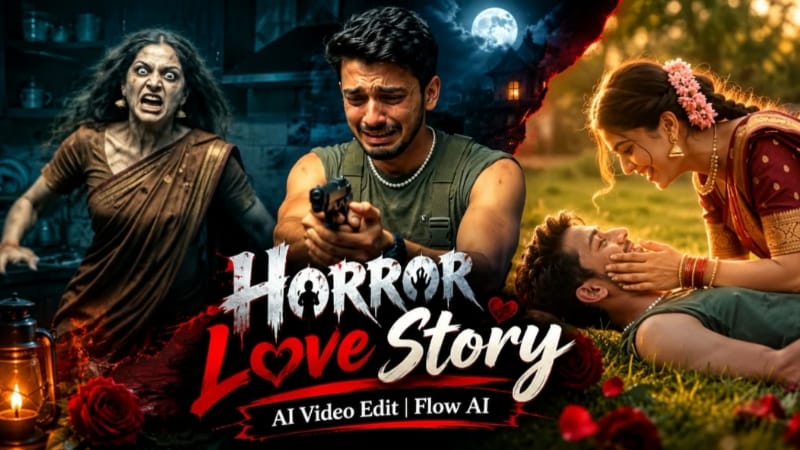
Emotional Horror Love Story AI Video | Cinematic Flashback | Flow AI Prompt
Overall, this Emotional Horror Love Story AI Video Prompt combines supernatural horror with an emotional relationship flashback. The dark kitchen scenes establish tension, while the golden-hour hill sequences provide warmth and emotional contrast. The result is a dramatic AI video concept that focuses on storytelling, character consistency, cinematic lighting and strong visual transitions.
Sabse Pehle Character Sheet Photo Banaai ChatGPT Se
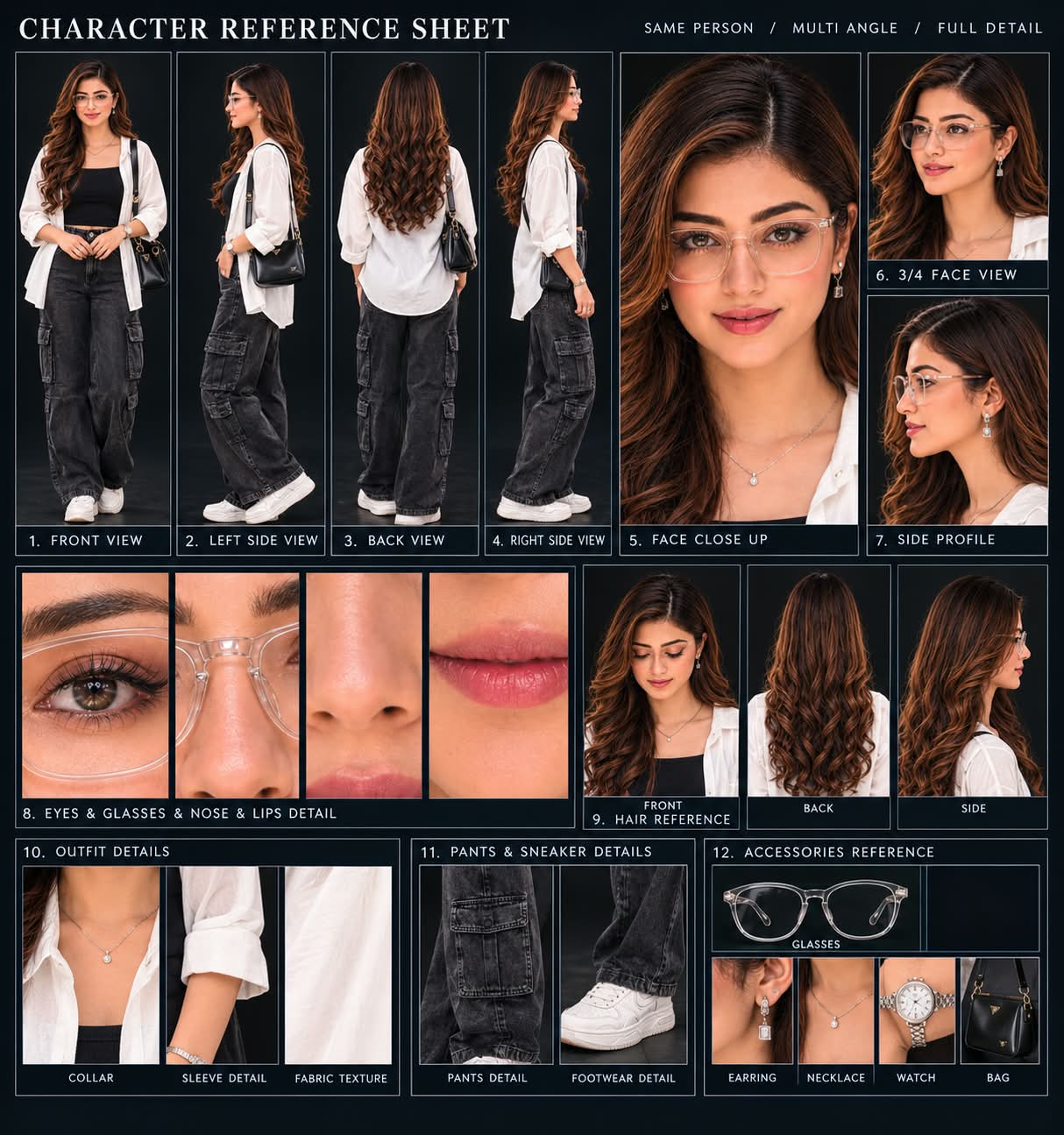
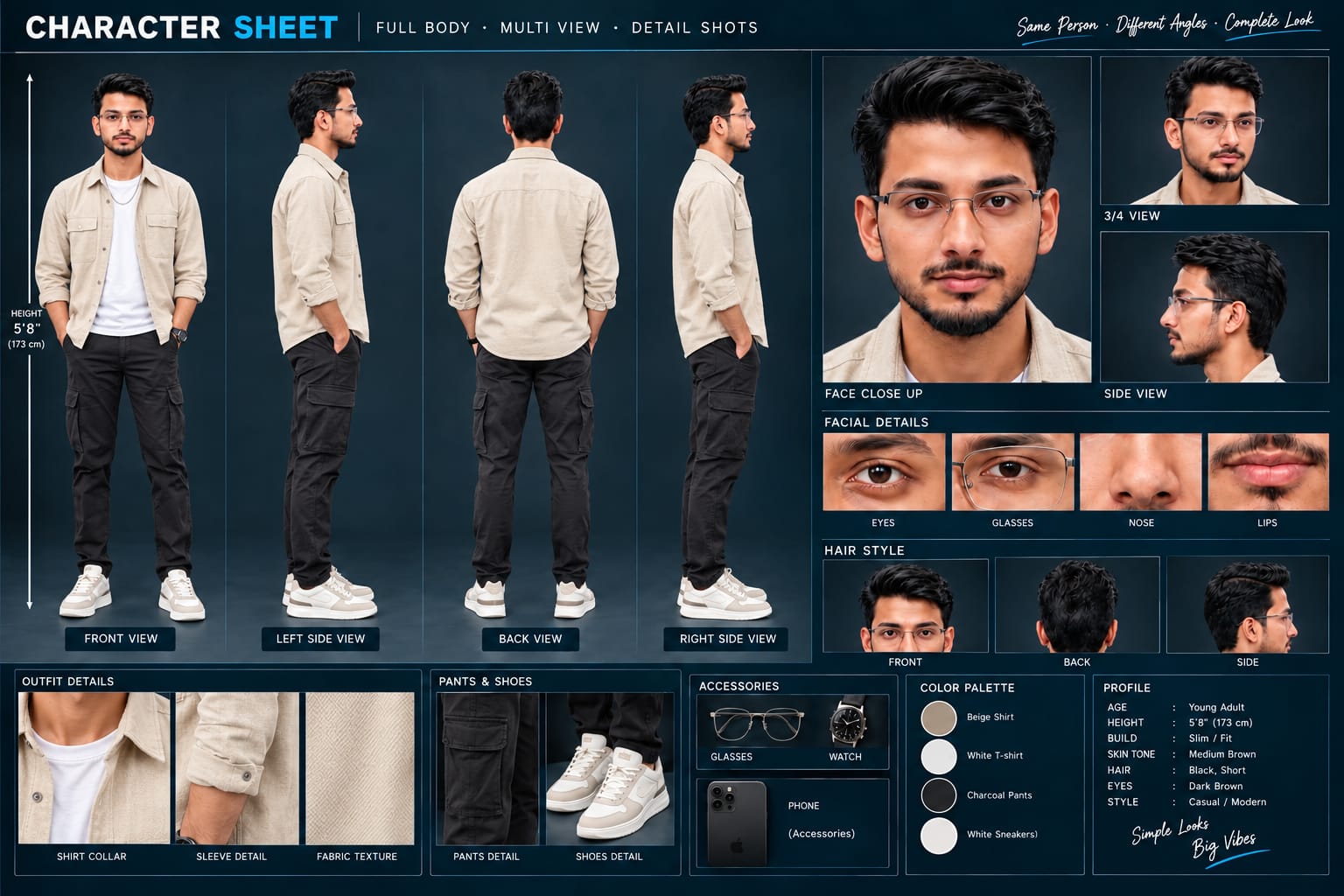
Is tarah aap ek emotional horror-drama AI video create kar sakte hain jisme dark supernatural scenes aur warm relationship flashbacks ke through contrasting cinematic storytelling develop hoti hai.
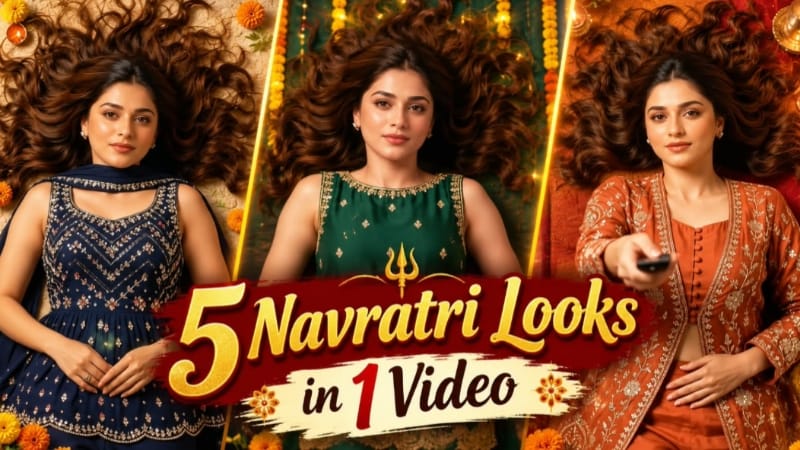
Fan Blade Outfit Change, BMW M5 Desert Highway, Humayun's Tomb, Romantic Rose Story & Bridge Walking AI Video — Complete Cinematic AI Editing Guide
AI photo-to-video editing ke through ek simple reference image ko completely different cinematic concepts mein transform kiya ja sakta hai. Flow AI jaise video-generation workflows mein reference photo ka use karke character identity, outfit, environment aur cinematic movement ko prompt ke according control kiya ja sakta hai. ChatGPT ka use character reference sheet aur detailed visual prompts prepare karne ke liye bhi kiya ja sakta hai.
Is detailed guide mein five different AI video editing concepts cover kiye gaye hain: Fan Blade Outfit Change AI Video, BMW M5 Desert Highway Cinematic Car Shoot, Humayun's Tomb Couple Cinematic Video, Romantic Rose Story Bike Ride Love Story, aur Bridge Walking Deep Teal Moody AI Video. Inmein fashion transformation, luxury automotive cinematography, heritage-location couple storytelling, romantic bike-ride narrative aur emotional solo walking sequence jaise completely different visual styles use kiye gaye hain.
Har concept mein reference identity consistency important hai. AI generation ke baad face, hairstyle, body proportions, outfit, hands, environment, lighting, camera movement aur scene continuity ko carefully check karna zaroori hai.
1. Fan Blade Outfit Change AI Video | 5 Dress Transition | Flow AI Prompt
Fan Blade Outfit Change AI Video ek cinematic fashion-transition concept hai jisme ceiling fan ki blade ko creative in-camera wipe transition ke roop mein use kiya gaya hai. Har baar dark fan blade camera lens ke foreground se pass hoti hai, us moment par outfit change hota hai. Is concept ki main visual speciality ye hai ki transition kisi artificial cut ki tarah nahi, balki fan blade ke natural foreground movement ke through hide hota hai.
Video 9:16 vertical format aur 8K cinematic appearance mein designed hai. Complete sequence high-angle top-down overhead perspective se shoot hota hai. Woman ek textured designer carpet par gracefully leti hoti hai, long wavy dark hair naturally carpet par spread hote hain aur woh ceiling fan ki taraf dekhti hai. Uske hand mein black remote hota hai jisse woh fan ki taraf point karke button click karti hai.
Character & Identity
Uploaded female reference photo ko strict identity source ke roop mein use kiya gaya hai. Facial features, natural eye shape, lips aur realistic skin texture ko five scenes mein consistent maintain karna hai. AI-morphing, facial deformation aur unnatural appearance changes avoid karne par prompt strongly focus karta hai.
Page par ChatGPT se pehle character reference sheet banane ka workflow bhi diya gaya hai. Is sheet mein front, left-side, back aur right-side full-body views ke saath face close-up, 3/4 view, side profile, eyes/glasses/nose/lips crops, hair references, clothing texture aur accessories references included hain.
Five Exact Fashion Looks
Scene 1 — Rust-Orange Look
Woman textured designer carpet par leti hoti hai, black remote hold karti hai aur ceiling fan ki taraf aim karke button click karti hai.
Outfit:
Rust-orange embroidered long jacket
Matching silk sharara pants
Ye opening look luxury-fashion visual theme establish karta hai.
Scene 2 — Emerald Green Look
First dark fan blade camera lens ke across smoothly sweep karti hai. Blade frame ko temporarily cover karti hai aur blade clear hone ke baad outfit instantly transform hota hai.
New outfit:
Emerald-green sleeveless short kurti
Heavy gold pearl-scalloped border
Matching green trousers
Scene 3 — Royal Navy Look
Second fan blade next transition create karti hai.
New outfit:
Royal navy-blue peplum top
Multicolored crystal detailing
Flared navy pants
Long cape dupatta
Ye sequence ko more glamorous contemporary fashion appearance deta hai.
Scene 4 — Black & Silver Look
Third fan blade ke pass hone par outfit transform hota hai.
New outfit:
Jet-black sleeveless tunic
Heavy silver crystal chevron patterns
Sheer black dupatta
Black fabric aur silver detailing luxury-fashion contrast create karte hain.
Scene 5 — Bridal Pink Finale
Fourth fan blade final transformation create karti hai.
Final outfit:
Pastel blush-pink bridal velvet anarkali
Fine rose-gold zardozi work
Matching gold bangles
Ye final look fashion transformation ka soft bridal-style ending provide karta hai.
Lighting, Camera & Branding
Complete sequence mein same overhead camera perspective maintain hota hai. Lighting warm ambient luxury indoor style ki hai aur calibrated DSLR film grade use kiya gaya hai. Rich fabric colours ko clearly visible rakhna visual concept ka important part hai. Bottom corner mein clean semi-transparent white NoorEditing07 watermark fixed hai.
Step-by-Step Workflow
Ek clear female reference photo ready karein.
Face clearly visible hona chahiye.
ChatGPT mein reference photo upload karein.
Character reference sheet prepare karein.
Front, side, back aur 3/4 reference views verify karein.
Flow AI Video Generator open karein.
Female reference photo add karein.
Fan Blade Outfit Change AI Video prompt paste karein.
Identity-lock instructions ko maintain karein.
Video format 9:16 vertical rakhein.
High-angle top-down camera perspective maintain karein.
Scene 1 mein rust-orange jacket aur silk sharara ke saath remote-click action generate karein.
First fan blade ke pass hone par emerald-green outfit transition check karein.
Second blade ke through navy-blue peplum look verify karein.
Third blade ke through black-and-silver outfit transition check karein.
Fourth blade ke through blush-pink bridal anarkali final transformation verify karein.
Har transition mein blade ko actual visual wipe ki tarah use karein.
Check karein ki outfit blade clear hone se pehle reveal na ho.
Face, hair aur skin texture ko all scenes mein compare karein.
Fabric details, jewellery aur clothing patterns inspect karein.
Lighting aur overhead perspective scene-to-scene consistent rakhein.
Final watermark placement check karein.
Unnatural morphing ya transition error ho to affected sequence regenerate karein.
Final 9:16 cinematic fashion video export karein.
2. BMW M5 Desert Highway AI Video | Cinematic Car Shoot | Flow AI Video Prompt
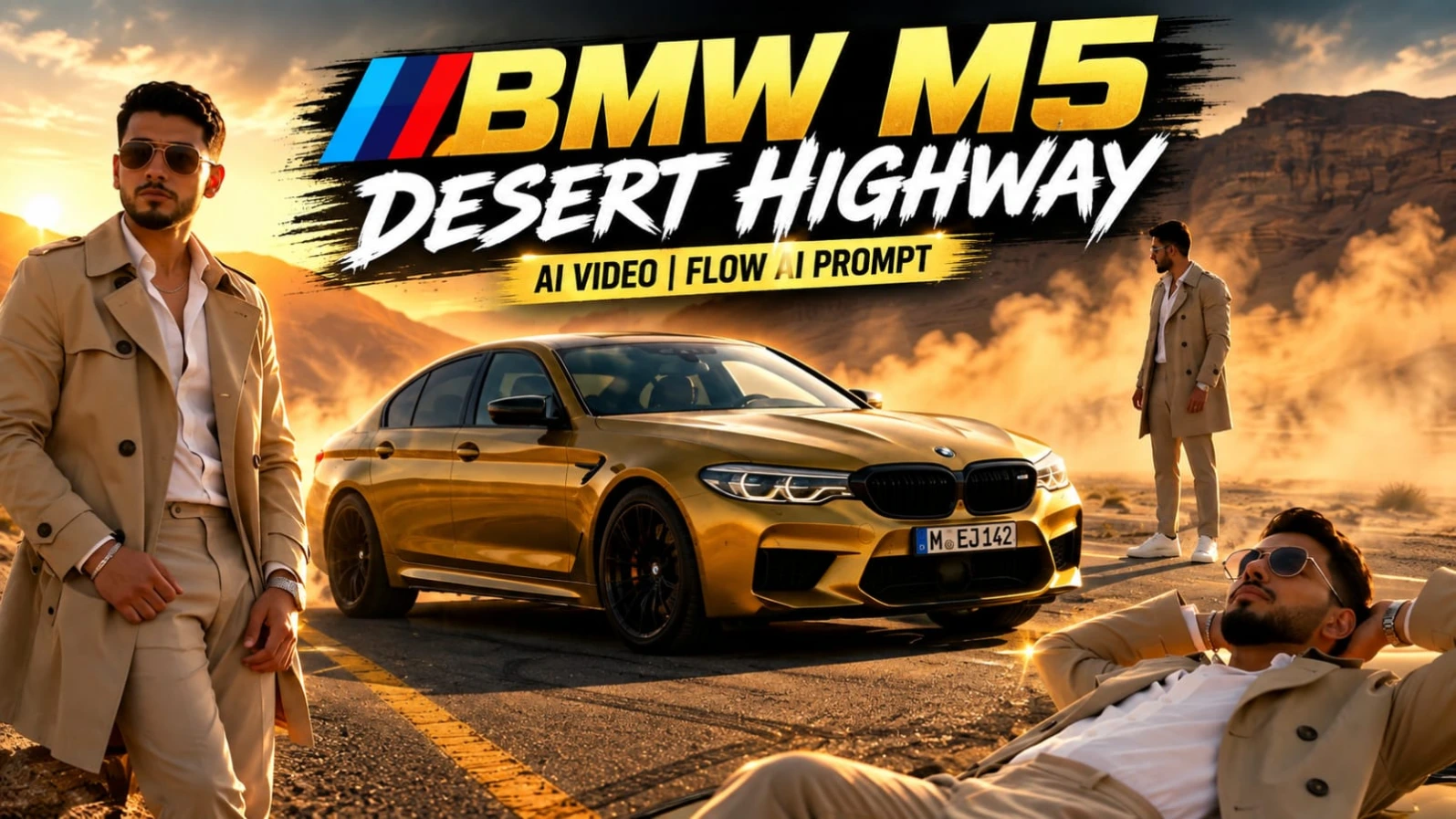
BMW M5 Desert Highway AI Video ek luxury automotive commercial-style cinematic concept hai. Ismein metallic mustard-yellow BMW M5, empty desert highway, canyon mountains, golden-hour sunlight, drifting dust aur luxury fashion styling ko combine kiya gaya hai.
Video ka central focus identity consistency hai. Uploaded reference photo ko character ki exact identity source banaya gaya hai. Face shape, eyes, nose, lips, jawline, hairstyle, skin tone aur overall body build first scene se final scene tak consistent rehna chahiye.
Character Styling
Subject ka outfit complete video mein same rakha gaya hai:
Beige trench coat
Open-collar white shirt
Beige trousers
White sneakers
Metallic wristwatch
Silver chain
Aviator sunglasses
Location bhi same hai: empty desert highway, canyon mountains, dust atmosphere aur warm golden sunset light.
Eight Cinematic Scenes
Scene 1 — Front Fender Low Angle
Man BMW M5 ke front fender ke against lean karta hai. Camera low angle par hota hai aur background mein dust drift kar rahi hoti hai.
Scene 2 — Top-Down Drone Shot
Subject car ke beside standing position mein hota hai. Symmetrical top-down drone composition car aur subject ko graphic cinematic arrangement mein show karti hai.
Scene 3 — Close-Up Portrait
Close-up portrait mein man apne hair mein hand run karta hai aur sunglasses adjust karta hai.
Scene 4 — Automotive Burnout
BMW M5 dynamic burnout karti hai aur highway par dust swirl hoti hai. Subject vehicle ke paas visible rehta hai.
Scene 5 — Car Roof Composition
Man car roof par lie karta hai aur sky ki taraf dekhta hai. Ye sequence automotive commercial ke beech ek artistic fashion composition create karta hai.
Scene 6 — Headlight & Grille Macro
Is scene mein focus completely BMW M5 ke headlight aur grille par shift hota hai. Extreme macro-style automotive shot mein face included nahi hai.
Scene 7 — Open Car Door
Subject open car door mein sitting position mein hota hai, head back karta hai aur sideways gaze karta hai.
Scene 8 — Rapid Commercial Ending
Final scene wide automotive shots aur close-up portraits ke rapid jump-cuts se create hota hai. Character identity cuts ke throughout same maintain ki jati hai.
Format & Cinematic Look
Video 16:9 aspect ratio mein hai aur 4K ultra-realistic visual style use karta hai. Warm golden-hour grading, high contrast aur cinematic commercial lighting luxury-advertisement appearance create karte hain.
Step-by-Step Workflow
Clear high-quality reference photo select karein.
Face aur body clearly visible hon.
Flow AI open karein.
Reference image upload karein.
Identity-lock prompt paste karein.
16:9 aspect ratio select karein.
Available high-quality/4K setting use karein.
Same beige trench coat, white shirt, beige trousers, sneakers, watch, chain aur sunglasses maintain karein.
Desert highway, canyon mountains, dust aur golden-hour lighting define karein.
Scene 1 ka low-angle front-fender composition generate karein.
Scene 2 ka symmetrical top-down drone shot check karein.
Scene 3 mein hair movement aur sunglasses adjustment verify karein.
Scene 4 mein BMW M5 burnout aur dust movement check karein.
Scene 5 mein roof composition verify karein.
Scene 6 mein headlight/grille macro shot maintain karein.
Scene 7 mein open-door sitting composition generate karein.
Scene 8 mein rapid wide/close-up jump-cuts verify karein.
Face, hairstyle, body build aur outfit continuity compare karein.
Car model aur desert environment scene-to-scene consistent rakhein.
Golden-hour colour grading aur high-contrast commercial look maintain karein.
Unwanted face drift ya body transformation hone par affected scene regenerate karein.
Low-opacity white NoorEditing07 watermark check karein.
Final cinematic 4K video export karein.
3. Humayun's Tomb Couple Cinematic | Flow AI Video Prompt
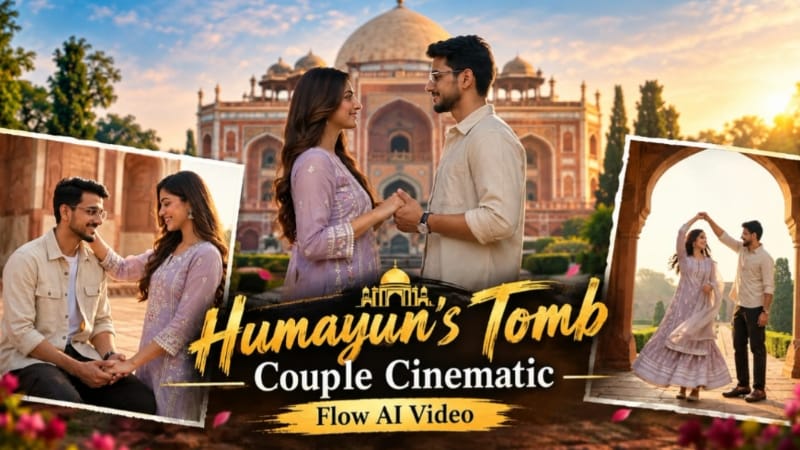
Humayun's Tomb Couple Cinematic ek heritage-location romantic travel video concept hai jisme couple photos ko Delhi ke Humayun's Tomb ke Mughal architecture aur gardens ke environment mein cinematic narrative mein transform kiya jata hai. Concept ka focus couple interaction, red sandstone architecture, green gardens, Mughal archways aur warm golden-hour morning light par hai.
Uploaded couple reference photos ki identity consistency important hai. Faces, hairstyles, skin tone aur overall appearance ko scenes ke throughout maintain karne ke liye detailed identity instructions use ki gayi hain.
Exact Outfit Details
Female
Sleeveless deep-black/charcoal ethnic long kurti/tunic
Traditional geometric/floral silver-cream embroidery
Matching voluminous black palazzo trousers/tiered maxi skirt
Embroidered border trim
Lightweight sheer black dupatta
Oxidized antique silver jhumka earrings
Silver bangles/bracelets
Long dark wavy hair in elegant half-up cascading hairstyle
Male
Cuban-collar short-sleeve resort shirt
Cream/beige and deep black/charcoal vertical stripes
Relaxed tailored fit
Pure-white relaxed-fit trousers/chinos
White low-top leather sneakers
Black-dial wristwatch
Textured pompadour hairstyle
Eight Cinematic Scenes
Scene 1 — Intimate Handhold
Macro low-angle tracking close-up mein couple ke tightly interlocked hands waist height par visible hote hain. Background mein morning golden mist aur grand domed tomb softly blurred hota hai.
Scene 2 — Garden Promenade
Wide rear tracking shot mein couple hand-in-hand red-stone heritage pathway par walk karta hai. Manicured green lawns, palm trees aur towering octagonal domed tomb background mein hota hai.
Scene 3 — Mughal Archway Twirl
Grand carved sandstone archway ke through medium architectural framing hoti hai. Man woman ko raised arm ke neeche gently twirl karta hai. Woman ka black flared outfit aur dupatta realistic cloth physics ke saath move karte hain.
Scene 4 — Lawn Grand Approach
Cinematic low-angle wide tracking shot mein couple lush green lawn cross karta hua monumental facade ki taraf move karta hai. Morning sunlight subtle golden lens flares create karti hai.
Scene 5 — Vaulted Corridor
Steady eye-level tracking shot mein couple deep vaulted red-sandstone corridors se walk karta hai. Warm morning light aur cool architectural shadows outfits par fall karte hain.
Scene 6 — Framed Romantic Connection
Ornate arched alcove ke under couple close standing position mein hota hai. Dono gently both hands hold karte hain aur softly ek doosre ki eyes mein smile karte hain. White dome background mein visible hota hai.
Scene 7 — Affectionate Gesture
Monument stone terrace par man comfortably seated hota hai. Woman beside him standing position mein uske hair ko gently fix/caress karti hai aur warm smile deti hai.
Scene 8 — Horizon Finale
Couple ancient stone balustrade ke against side-by-side standing position mein historic domes aur horizon ki taraf dekhta hai. Phir dono camera ki taraf turn karke warmly smile karte hain. Smooth slow cinematic pull-back final movement hai.
Camera, Lighting & Output
Concept 16:9 widescreen format mein hai, 8K cinematic filmic grade ke saath. Warm golden-hour morning sunlight, Mughal red sandstone aur green lawns ke beech strong colour contrast create karti hai. 50mm shallow depth of field aur stabilized gimbal camera motion use kiya gaya hai.
Step-by-Step Workflow
Couple ki clear, high-quality reference photos ready karein.
Dono faces clearly visible hone chahiye.
ChatGPT se character reference sheet prepare ki ja sakti hai.
Flow AI open karke Video Creation select karein.
Couple reference photos upload karein.
Dono images ko reference images ke roop mein select karein.
Humayun's Tomb Couple Cinematic prompt paste karein.
Female aur male outfits ko reference ke exact according maintain karein.
Humayun's Tomb ko primary heritage location define karein.
Red sandstone architecture, green gardens, Mughal arches aur golden-hour morning lighting maintain karein.
16:9 widescreen format use karein.
Scene 1 mein handhold macro tracking shot generate karein.
Scene 2 mein garden hand-in-hand walking sequence verify karein.
Scene 3 mein Mughal archway twirl aur cloth physics check karein.
Scene 4 mein garden lawn approach aur golden lens flare inspect karein.
Scene 5 mein vaulted corridor tracking movement verify karein.
Scene 6 mein arched-alcove romantic interaction check karein.
Scene 7 mein terrace hair-fixing gesture verify karein.
Scene 8 mein horizon gaze aur slow pull-back finale check karein.
Face, hairstyle, outfit aur skin consistency compare karein.
Camera movement, fabric physics aur lighting continuity inspect karein.
Unwanted identity changes ko reference images aur prompt refinement se correct karein.
Final video mein subtle semi-transparent white Noorediting07 watermark verify karein.
Final cinematic video export karein.
4. Romantic Rose Story AI Video | Bike Ride Love Story | Flow AI Video Prompt
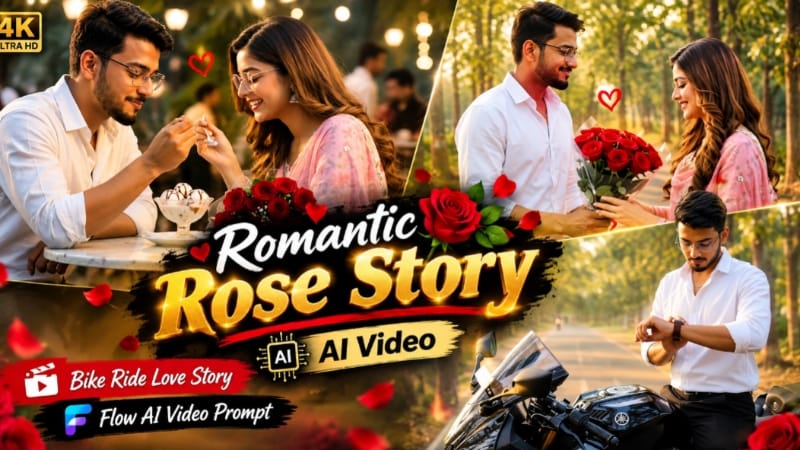
Romantic Rose Story AI Video ek connected cinematic love-story concept hai jisme bike ride, scenic road, rose bouquet, romantic meeting, outdoor cafe aur evening closing moment ko sequential story ke form mein combine kiya gaya hai. Page par 13 scenes ka continuous story sequence diya gaya hai.
Concept ka visual focus smooth camera movement, natural body motion, realistic environment, golden-hour lighting, romantic rose moment aur connected scene progression par hai.
Character Setup
Male opening scene mein white shirt aur black trousers ke saath modern black sports motorcycle ke paas khada hota hai.
Female pink dupatta aur traditional floral outfit mein books hold karte hue scenic pathway par walk karti hai.
Reference photos ke through face, hairstyle, body proportions aur outfits ko consistent maintain karna workflow ka important part hai.
Exact 13-Scene Story
Scene 1 — Motorcycle Introduction
Golden-hour lighting mein tall trees se lined road par young man modern black sports motorcycle ke paas standing position mein hota hai.
Scene 2 — Woman's Entry
Young woman pink dupatta aur traditional floral outfit mein books hold karke gracefully walk karti hai.
Scene 3 — Waiting Moment
Man motorcycle ke paas khade hue apni wristwatch check karta hai.
Scene 4 — Woman Approaches
Woman scenic pathway par man ki direction mein closer walk karti hai, soft sun flare ke saath.
Scene 5 — Rose Bouquet
Man large bouquet of deep-red roses hold karke forward step karta hai.
Scene 6 — Rose Presentation
Man woman ko roses present karta hai aur expressive romantic smile deta hai.
Scene 7 — Rose Close-Up
Woman happily red roses receive karti hai. Close-up romantic reaction ko emphasize karta hai.
Scene 8 — Couple Walk
Couple shaded tree-lined road par side-by-side walk karta hai.
Scene 9 — Motorcycle Ride Setup
Dono black sports motorcycle par together sit/get on karte hain.
Scene 10 — Scenic Bike Ride
Motorcycle scenic road par smoothly ride karti hai aur dynamic camera tracking use hoti hai.
Scene 11 — Outdoor Cafe
Couple ek cozy outdoor cafe par arrive karta hai jahan glowing sign visible hai.
Scene 12 — Ice Cream & Roses
Couple small table ke opposite baithkar ice cream share karta hai. Bouquet of roses table par placed hota hai.
Scene 13 — Romantic Finale
Warm evening lighting aur soft bokeh background ke under sweet closing romantic moment create hota hai.
Camera & Quality
Prompt mein 8K resolution, ultra-realistic cinematic 16:9 widescreen continuous story sequence, smooth camera motion, photorealistic textures aur HDR styling specified hai. Page ke workflow mein final video ko social-media short-form use ke liye 9:16 vertical format mein export karne ka instruction bhi diya gaya hai; isliye generation prompt ke native format aur final social-media export instruction ko alag stages ke roop mein follow karna chahiye.
Step-by-Step Workflow
Male aur female ki clear reference photos ready karein.
Faces clearly visible aur high quality hone chahiye.
Flow AI open karein.
Supported image-to-video workflow select karein.
Dono reference images upload karein.
Romantic Rose Story AI Video prompt paste karein.
Character identity-preservation instructions maintain karein.
Male outfit aur female outfit ko scene-to-scene consistent rakhein.
Black sports motorcycle aur scenic tree-lined road maintain karein.
Scene 1 mein motorcycle ke paas male introduction generate karein.
Scene 2 mein female walking entry check karein.
Scene 3 mein wristwatch checking action verify karein.
Scene 4 mein soft sun-flare ke saath female approach check karein.
Scene 5 mein deep-red rose bouquet verify karein.
Scene 6 mein bouquet presentation aur romantic expression check karein.
Scene 7 mein woman's rose-receiving close-up verify karein.
Scene 8 mein couple side-by-side walking sequence maintain karein.
Scene 9 mein motorcycle boarding action check karein.
Scene 10 mein dynamic tracking bike ride verify karein.
Scene 11 mein glowing-sign outdoor cafe arrival check karein.
Scene 12 mein ice cream aur table par roses maintain karein.
Scene 13 mein warm evening bokeh finale verify karein.
Face, hands, roses, bike movement, expressions aur clothing continuity check karein.
Background aur lighting transitions inspect karein.
Unnatural movement ya identity drift hone par affected scene regenerate karein.
Complete 13-scene story ko correct order mein preview karein.
Social-media requirement ke according final format/export prepare karein.
5. Bridge Walking Cinematic AI Video | Deep Teal Moody Look | Flow AI Video
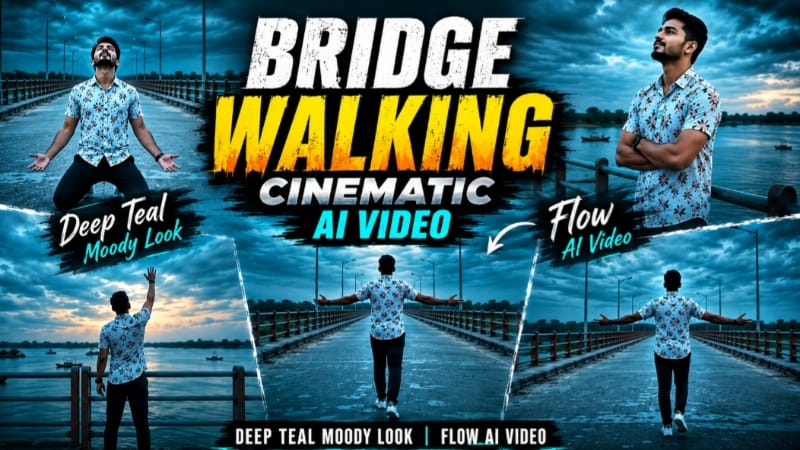
Bridge Walking Cinematic AI Video ek emotional solo cinematic concept hai jisme wide concrete bridge, river, overcast dusk sky aur deep-teal colour grading ko use karke moody walking story create ki gayi hai. Video ka complete sequence ek hi bridge location aur same outfit ke saath designed hai.
Character & Outfit
Uploaded reference photo man's exact identity source hai. Face, facial features, hairstyle, natural skin tone, body build, height aur overall appearance same maintain karna hai. AI ko extra muscle, extra height, unnecessary bulk ya unrealistic body proportions add nahi karne hain.
Complete video mein same outfit:
White floral-printed short-sleeve shirt
Dark navy pants
White sneakers
Shirt ka floral pattern, pants colour aur footwear Scene 1 se Scene 7 tak unchanged rehna chahiye.
Bridge Environment
Same long concrete bridge wide river ke upar stretch karta hai. Dono sides par teal-and-orange striped metal railing hai. Background mein distant green tree line, small islands aur boats water par visible hain.
Sky dramatic overcast dusk atmosphere mein hai. Ye evening/dusk environment hai, nighttime nahi. Isliye complete darkness ya artificial night-lighting appearance avoid karni hai.
Deep-Teal Cinematic Grade
Sky aur water dono mein dramatic deep-teal tones maintain kiye gaye hain. Overall mood emotional, cinematic aur slightly melancholic hai. Scene 1 se Scene 7 tak same colour grade maintain karna zaroori hai.
Exact Seven Scenes
Scene 1 — Arms Wide Walking
Wide rear shot mein man bridge ke center se camera se door walk karta hai. Dono arms sides mein wide spread hote hain, jo freedom aur openness ka visual feeling create karta hai.
Scene 2 — Reflective Railing Shot
Medium shot mein man bridge railing ke paas khada hai. Arms chest ke across folded hain aur woh sky ki taraf calm, reflective expression ke saath dekhta hai.
Scene 3 — Distant Walk
Wide cinematic shot mein man distance se bridge par steady pace par walk karta hai. Teal-orange railing leading lines create karti hai aur river mein boats visible hote hain.
Scene 4 — Emotional Kneeling
Front-facing wide shot video ka emotional highlight hai. Man bridge ke center mein kneel karta hai aur head upward tilt karta hai. Empty bridge aur dramatic sky pose ko strong cinematic impact dete hain.
Scene 5 — Side Profile Walk
Side-profile wide shot mein man railing ke paas se camera ko cross karta hua calmly walk karta hai. Water, horizon aur distant land background mein visible hain.
Scene 6 — Back View
Back-view wide shot mein man camera se door bridge ke center ki taraf walk karta hai. Dramatic teal sky aur bridge ke street lamps visible hain.
Scene 7 — Final Sky-Reaching Pose
Final wide shot mein man railing ke paas stand karta hai aur ek arm sky ki taraf raise karta hai, jaise sky ko reach kar raha ho. Wide river aur dramatic teal evening sky final emotional composition complete karte hain.
Video Specifications
Video 9:16 vertical format aur 1080p resolution ke liye optimized hai. Smooth cinematic camera movement, realistic walking animation, natural hand movement, accurate body mechanics, realistic skin texture, detailed clothing fabric aur cinematic depth of field specified hain.
Step-by-Step Workflow
Ek clear high-quality male reference photo ready karein.
Face aur body clearly visible hone chahiye.
Flow AI Video Generator open karein.
Reference photo upload karein.
Complete Bridge Walking Cinematic AI Video prompt paste karein.
Reference photo ko exact identity source ke roop mein use karein.
9:16 vertical format select karein.
Available highest-quality/1080p setting select karein.
Same white floral shirt, dark navy pants aur white sneakers maintain karein.
Same concrete bridge location Scene 1 se Scene 7 tak preserve karein.
Teal-orange railing, river, greenery, islands aur boats ko consistent rakhein.
Evening/dusk environment maintain karein; nighttime look create na karein.
Scene 1 mein rear wide arms-wide walking shot generate karein.
Scene 2 mein railing ke paas reflective pose verify karein.
Scene 3 mein distant bridge walking shot check karein.
Scene 4 mein kneeling emotional action verify karein.
Scene 5 mein side-profile walking movement check karein.
Scene 6 mein back-view walking sequence verify karein.
Scene 7 mein sky-reaching final pose check karein.
Deep-teal colour grade complete sequence mein consistent rakhein.
Face, hairstyle, height, body build aur proportions compare karein.
Hands, fingers, legs aur body mechanics carefully inspect karein.
Outfit flickering, identity drift, background distortion aur unnatural movement check karein.
Camera movement smooth hai ya nahi verify karein.
Bottom-right watermark placement check karein.
Problematic scene ko targeted prompt refinement ke saath regenerate karein.
Complete 7-scene sequence preview karein.
Final 9:16 1080p cinematic video export karein.
Final Result
Ye five AI video concepts completely different cinematic editing styles ko cover karte hain:
Fan Blade Outfit Change AI Video — overhead fashion cinematography, five fashion looks aur four fan-blade wipe transitions.
BMW M5 Desert Highway AI Video — luxury automotive commercial style, desert highway, eight cinematic car/character scenes aur golden-hour grading.
Humayun's Tomb Couple Cinematic — Mughal heritage architecture, romantic couple interaction, eight detailed scenes aur 8K golden-hour travel-film styling.
Romantic Rose Story AI Video — 13-scene connected love story featuring roses, motorcycle ride, scenic road, cafe aur romantic finale.
Bridge Walking Cinematic AI Video — seven-scene emotional solo story with a single bridge location, deep-teal grading aur moody dusk atmosphere.
In sab workflows mein reference image quality aur identity consistency sabse important elements hain. Clear reference photo AI ko face, hairstyle, body build aur overall appearance understand karne mein help karti hai. Video generation ke baad sirf final output dekhna enough nahi hai; har important scene ko separately inspect karna chahiye.
Specially AI video editing mein face drift, hairstyle changes, outfit flickering, hand/finger distortion, body-proportion changes, unnatural walking, incorrect camera movement aur background continuity errors ko carefully check karein. Couple videos mein dono characters ki identity aur clothing consistent honi chahiye, automotive videos mein vehicle aur environment continuity maintain honi chahiye, aur fashion transitions mein transition timing exactly visual effect ke saath synchronize honi chahiye.
Final export se pehle aspect ratio, resolution, lighting, colour grading, camera movement, hands, outfit, face identity, background, environment continuity aur watermark placement ka complete quality check karein. Is detailed workflow ke through ChatGPT se character/reference preparation aur Flow AI se cinematic photo-to-video generation ko ek structured professional AI editing process mein combine kiya ja sakta hai.