Koi Aye Na Rabba Viral Instagram AI Video Prompt – Google Flow AI Edit
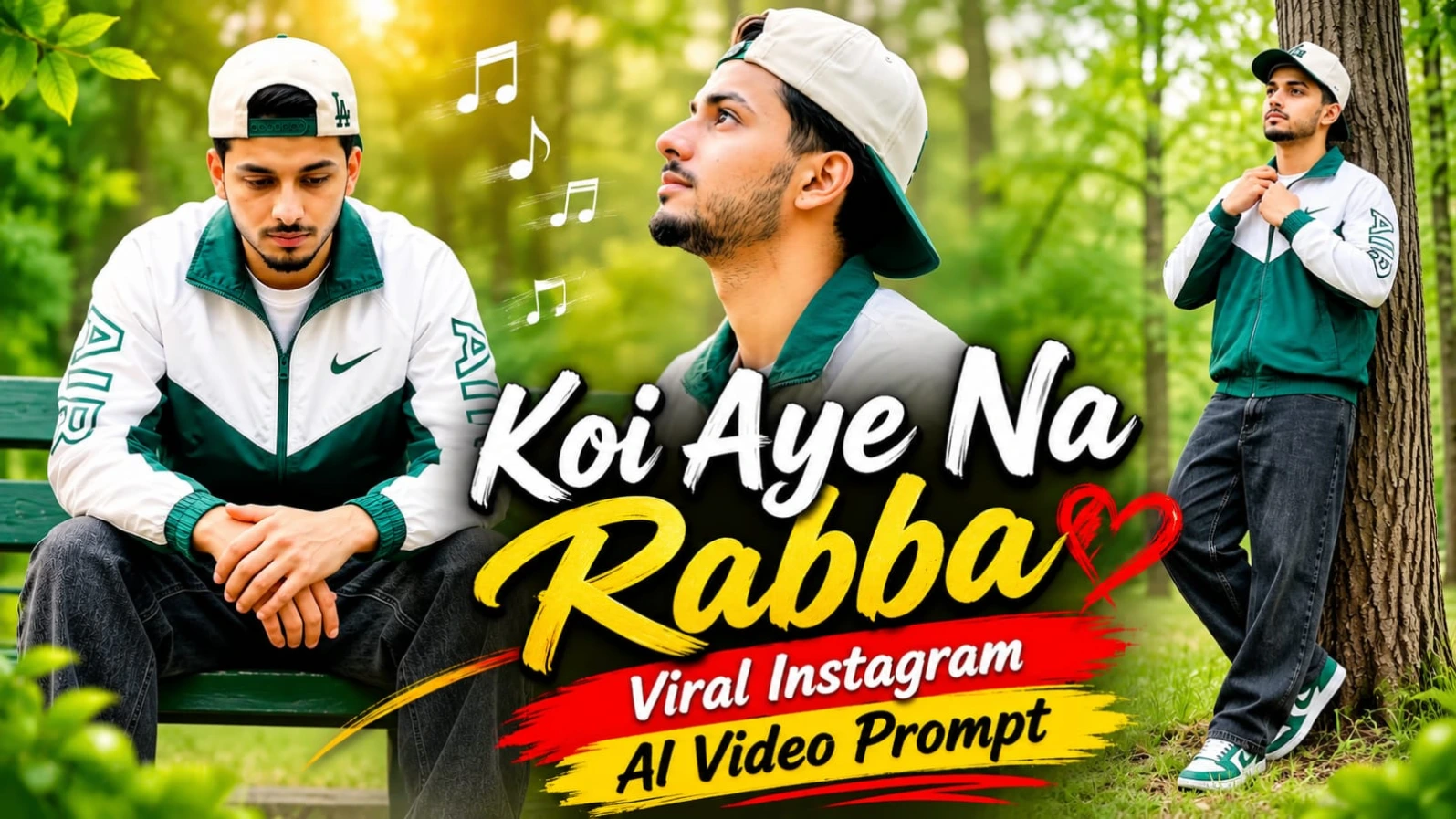
Instagram par cinematic song-based AI videos ka trend kaafi popular ho raha hai. Koi Aye Na Rabba ek beautiful emotional video concept hai, jisme natural forest locations, peaceful expressions, stylish outfits aur cinematic camera movements ka combination dekhne ko milta hai. Ab aap bhi apne face ke saath is tarah ka viral Instagram AI video create kar sakte hain.
Is tutorial mein hum ChatGPT Character Sheet aur Google Flow AI ki help se ek cinematic 13.4-second video banane ka process samjhenge. Is video mein total 9 scenes hain. Har scene mein ek alag pose, camera angle aur beautiful natural background diya gaya hai. Lush green forest, lakeside fence, autumn leaves aur woodland trail is video ko professional travel-reel jaisa look dete hain.
1. Koi Aye Na Rabba AI Video Trend Kya Hai?
Koi Aye Na Rabba AI Video ek cinematic Instagram trend concept hai jisme ek young man forest park ke different locations par stylish aur thoughtful poses deta hua dikhai deta hai. Video mein tree trunk ke paas standing pose, grass par sitting pose, park bench shot, skyward profile aur lakeside view jaise scenes shamil hain.
Is concept ki khas baat iska peaceful atmosphere aur natural cinematic presentation hai. Har scene mein character ka expression calm aur reflective rehta hai, jo song ke emotional mood ke saath achha match karta hai.
2. Sabse Pehle ChatGPT Se Character Sheet Banayein
Video generation se pehle ChatGPT se apni Character Sheet taiyar karni hogi. Apni ek clear face photo upload karein aur Character Sheet banane ke liye detailed prompt dein.
Character Sheet mein front view, side view, close-up face aur body reference shamil kar sakte hain. Face shape, eyes, nose, lips, jawline, hairstyle aur natural skin tone ko original photograph ke according preserve karne ki instruction dein.
Character Sheet ready hone ke baad use save kar lein. Ye aapke character ki identity reference hogi, jise Google Flow AI mein use kiya jayega.
3. Google Flow AI Mein Character Sheet Upload Karein
Character Sheet banane ke baad Google Flow AI open karein. New video project start karein aur available character reference ya image upload option mein apni Character Sheet add karein.
Agar tool multiple reference images support karta hai, to original face photo ko bhi reference ke roop mein add kar sakte hain. Isse video ke alag-alag scenes mein same character appearance maintain karne mein help mil sakti hai.
4. Same Outfit Across All 9 Scenes
Is video mein character ka outfit sabhi nine scenes mein same rahega. White-and-forest-green colorblock zip-up windbreaker jacket, cream-and-green LA baseball cap, washed charcoal-black baggy denim jeans aur green-and-white skate sneakers ka combination use kiya gaya hai.
Outfit consistency is video ka important part hai. Jacket ka colour, design, jeans aur shoes har scene mein same hone chahiye. Cap ko backward pehna sakte hain ya casually hand mein hold kar sakte hain, lekin face aur hair clearly visible rehne chahiye.
5. Beautiful Green Forest Park Location
Video ki starting ek lush green forest clearing mein hoti hai. Tall bifurcated tree trunk aur grassy surroundings first scene ko natural cinematic appearance dete hain.
Second scene mein character tree base ke paas dry grass par relaxed sitting pose mein hota hai. Third scene mein green wooden park bench use hoti hai, jiske background mein blurred pine trees dikhai dete hain.
Ye locations video ko ek consistent outdoor photoshoot experience deti hain.
6. Complete 9 Scenes Video Sequence
Is Master Video Prompt mein total 9 scenes hain aur video ki duration exactly 13.4 seconds rakhi gayi hai.
Scene 1 mein character tree trunk ke paas lean karke jacket collar ke paas hand rakhta hai. Scene 2 mein woh tree ke base par baithkar peaceful upward look deta hai. Scene 3 mein green park bench par elbows knees par rakhkar thoughtful pose hota hai.
Scene 4 mein golden-hour lighting ke saath close-up side profile dikhaya jata hai. Scene 5 mein character tree trunk ke against forearm rest karke khada hota hai. Scene 6 mein over-the-shoulder close-up ke saath neck aur chin touch pose hota hai.
Scene 7 mein character lakeside iron fence ke paas sunset view dekhta hai. Scene 8 mein autumn leaves ke carpet par overhead camera angle se lying pose capture hota hai. Final Scene 9 mein character misty forest avenue par camera ki taraf walk karta hai.
7. Lakeside and Autumn Leaves Cinematic Shots
Video ke seventh scene mein dark green arched metal fence aur calm lake ka beautiful combination dikhaya gaya hai. Sunset ke pastel pink-gold clouds scene ko soft cinematic atmosphere dete hain.
Eighth scene mein fallen autumn leaves ka dense carpet use hota hai. High-angle overhead camera shot se character ka face aur outfit clearly visible rehta hai. Ye different camera perspective video ko visually interesting banata hai.
8. Camera Angles and DSLR Quality
Video mein wide shots, medium shots, close-ups, side profiles, overhead shots aur tracking shots ka combination hai. 85mm-style prime lens look, creamy shallow depth of field aur smooth motion professional DSLR footage jaisa appearance create karte hain.
Character ka face har scene mein sharp aur clearly visible rehna chahiye. Background softly blurred ho sakta hai, lekin trees, leaves aur lakeside environment ki natural details maintain honi chahiye.
9. Colour Grading and Natural Lighting
Rich emerald forest greens, natural skin tones aur warm golden-hour highlights is video ke main colour elements hain. Daylight soft aur balanced hona chahiye, jisse face par harsh glare ya dark shadows na aayein.
Misty forest avenue scene mein background soft ho sakta hai, lekin character ka face clear aur detailed rehna chahiye. Natural lighting video ko realistic outdoor DSLR look deti hai.
10. Final Editing and Export
Google Flow AI se generated clips ko CapCut ya VN Editor mein import karein. Sabhi nine scenes ko correct order mein arrange karein aur Koi Aye Na Rabba song ke mood ke according background music add karein.
Scene transitions smooth rakhein aur original outfit, face identity aur camera sequence ko check karein. Final video ko 16:9 horizontal format mein highest available quality par export karein. Bottom corner mein subtle NoorEditing07 watermark add karein.
Agar aap bhi apne face ke saath Koi Aye Na Rabba viral Instagram trend banana chahte hain, to is article ka complete Master Video Prompt follow karein.
Google par Search karo NoorEditing07 – yahan milenge latest AI Photo & Video Prompts!
Sabse Pehle Character Sheet Photo Banaai ChatGPT Se
✦AI PHOTO PROMPT
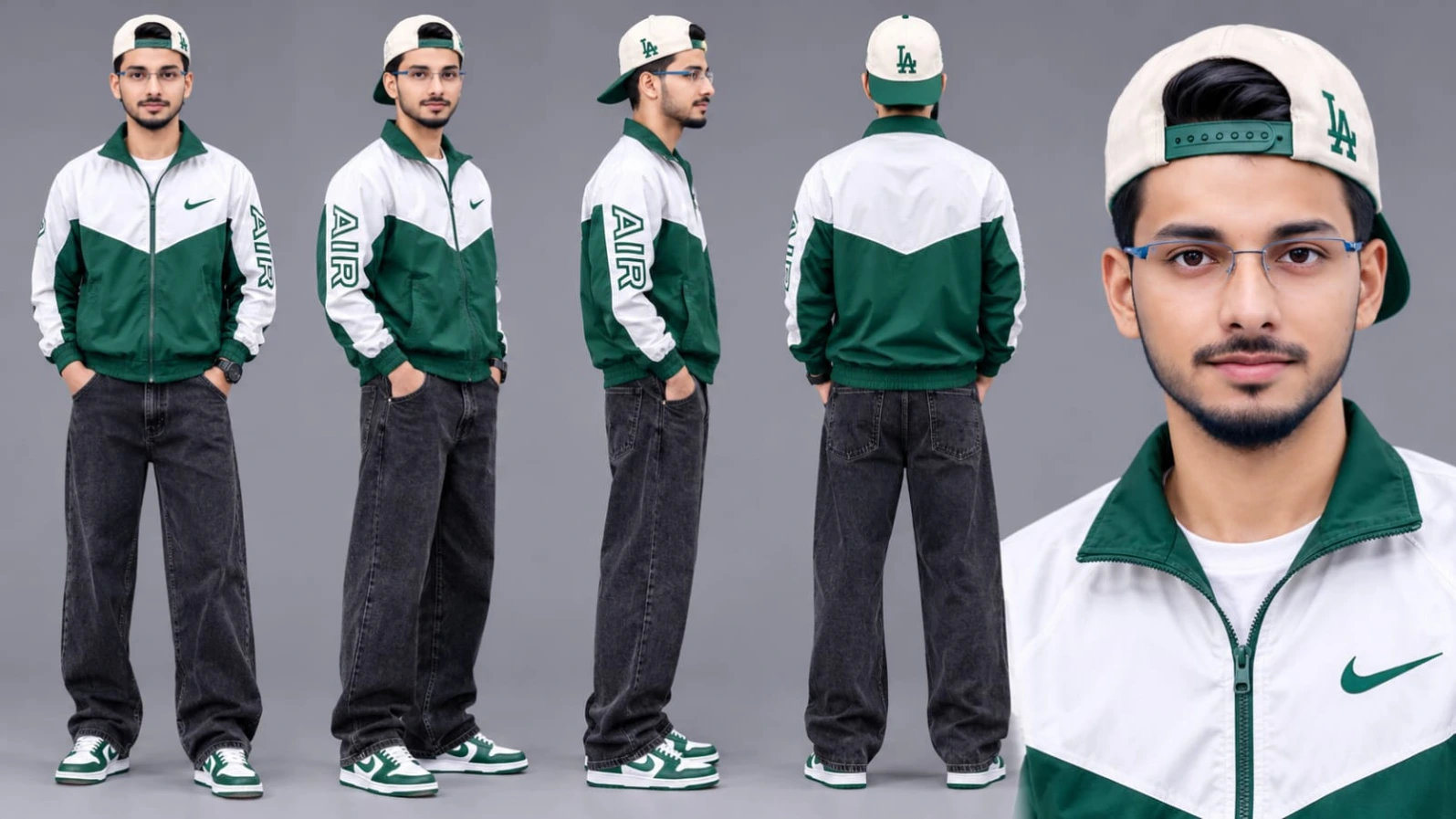
Cinematic character turn-around model sheet, ultra-realistic 8K UHD, neutral grey studio backdrop, 16:9 aspect ratio. Lock 100% exact facial geometry, eyes, nose, lips, jawline, hairstyle, and natural skin tone from uploaded reference photo across all views. Outfit: white-and-forest-green colorblock zip-up windbreaker jacket with green Nike swoosh and bold outlined "AIR" lettering along the left sleeve, cream-and-green "LA" baseball cap worn backward, wide-leg washed charcoal-black baggy denim jeans, green-and-white skate sneakers. Multi-view composition with full front, 3/4 profile, side profile, back view, and ultra-sharp 4K close-up headshot.
Cinematic character turn-around model sheet, ultra-realistic 8K UHD, neutral grey studio backdrop, 16:9 aspect ratio.
[STRICT FACE LOCK & IDENTITY]
Lock 100% exact facial geometry, eyes, nose, lips, jawline, hairstyle, and natural skin tone from the uploaded reference photo across all views. Smooth, clean DSLR skin texture with natural pores; zero morphing or distortion, face evenly lit and clearly visible in every angle under balanced studio fill lighting.
[OUTFIT & STYLING SPECIFICATIONS]
- Top: White-and-forest-green colorblock zip-up windbreaker jacket featuring a green Nike swoosh on the chest and bold outlined "AIR" lettering along the left sleeve.
- Headwear: Cream-and-green "LA" baseball cap worn backward (keeping front hair and face 100% unobstructed and clear).
- Bottom: Wide-leg washed charcoal-black baggy denim jeans with natural relaxed folds.
- Footwear: Green-and-white skate sneakers with crisp white laces.
- Wardrobe and styling remain 100% consistent across every view.
[MULTI-VIEW MODEL SHEET COMPOSITION]
Full-body multi-angle character reference sheet arranged side-by-side in a single clean frame:
1. Full Front View: Standing relaxed, arms naturally at sides, direct eye contact with camera, calm confident posture, displaying the colorblock windbreaker and baggy charcoal denim jeans.
2. 3/4 Profile Angle: Turned at 45 degrees showing side jawline, backward cap silhouette, left sleeve "AIR" graphic, and relaxed trouser drape.
3. Profile View (90°): Clean side-profile shot displaying clear facial contour, left sleeve "AIR" lettering, backward cap strap, and green-and-white skate sneakers.
4. Back View: Direct rear angle displaying the back of the white-and-forest-green windbreaker, backward cream-and-green cap, and wide-leg cut of the washed charcoal jeans.
5. High-Detail Close-Up Headshot: Ultra-sharp 4K portrait highlighting natural eyes, skin pores, front hairstyle, jawline, and windbreaker collar under balanced softbox lighting.
[TECHNICAL SPECS & QUALITY]
High-end commercial streetwear lookbook catalog, shot on 85mm f/1.4 lens, softbox three-point studio illumination, hyper-detailed nylon windbreaker fabric, washed denim weave, and sneaker textures, true-to-life colors, 8K resolution.
✓
Prompt copied to clipboard!
✦AI PHOTO PROMPT
Cinematic character turn-around model sheet, ultra-realistic 8K UHD, neutral grey studio backdrop, 16:9 aspect ratio. Lock 100% exact facial geometry, eyes, nose, lips, jawline, hairstyle, and natural skin tone from uploaded reference photo across all views. Outfit: white-and-forest-green colorblock zip-up windbreaker jacket with green Nike swoosh and bold outlined "AIR" lettering along the left sleeve, cream-and-green "LA" baseball cap worn backward, wide-leg washed charcoal-black baggy denim jeans, green-and-white skate sneakers. Multi-view composition with full front, 3/4 profile, side profile, back view, and ultra-sharp 4K close-up headshot.
Cinematic character turn-around model sheet, ultra-realistic 8K UHD, neutral grey studio backdrop, 16:9 aspect ratio.
[STRICT FACE LOCK & IDENTITY]
Lock 100% exact facial geometry, eyes, nose, lips, jawline, hairstyle, and natural skin tone from the uploaded reference photo across all views. Smooth, clean DSLR skin texture with natural pores; zero morphing or distortion, face evenly lit and clearly visible in every angle under balanced studio fill lighting.
[OUTFIT & STYLING SPECIFICATIONS]
- Top: White-and-forest-green colorblock zip-up windbreaker jacket featuring a green Nike swoosh on the chest and bold outlined "AIR" lettering along the left sleeve.
- Headwear: Cream-and-green "LA" baseball cap worn backward (keeping front hair and face 100% unobstructed and clear).
- Bottom: Wide-leg washed charcoal-black baggy denim jeans with natural relaxed folds.
- Footwear: Green-and-white skate sneakers with crisp white laces.
- Wardrobe and styling remain 100% consistent across every view.
[MULTI-VIEW MODEL SHEET COMPOSITION]
Full-body multi-angle character reference sheet arranged side-by-side in a single clean frame:
1. Full Front View: Standing relaxed, arms naturally at sides, direct eye contact with camera, calm confident posture, displaying the colorblock windbreaker and baggy charcoal denim jeans.
2. 3/4 Profile Angle: Turned at 45 degrees showing side jawline, backward cap silhouette, left sleeve "AIR" graphic, and relaxed trouser drape.
3. Profile View (90°): Clean side-profile shot displaying clear facial contour, left sleeve "AIR" lettering, backward cap strap, and green-and-white skate sneakers.
4. Back View: Direct rear angle displaying the back of the white-and-forest-green windbreaker, backward cream-and-green cap, and wide-leg cut of the washed charcoal jeans.
5. High-Detail Close-Up Headshot: Ultra-sharp 4K portrait highlighting natural eyes, skin pores, front hairstyle, jawline, and windbreaker collar under balanced softbox lighting.
[TECHNICAL SPECS & QUALITY]
High-end commercial streetwear lookbook catalog, shot on 85mm f/1.4 lens, softbox three-point studio illumination, hyper-detailed nylon windbreaker fabric, washed denim weave, and sneaker textures, true-to-life colors, 8K resolution.
Cinematic 16:9 widescreen 8K HDR 120fps ultra-realistic DSLR video in a lush green forest park, lakeside fence, and leaf-carpeted woodland trail under soft, bright, balanced daylight. Outfit: white-and-forest-green colorblock zip-up windbreaker with green Nike swoosh and outlined "AIR" lettering on left sleeve, cream-and-green "LA" baseball cap, wide-leg washed charcoal-black baggy denim jeans, green-and-white skate sneakers. 9 exact matched scenes sequence (13.4s). Watermark: NoorEditing07.
Cinematic 16:9 widescreen 8K HDR 120fps ultra-realistic DSLR video in a lush green forest park, lakeside fence, and leaf-carpeted woodland trail under soft, bright, balanced daylight with zero harsh glare and zero dark shadows.
[STRICT IDENTITY & FACE LOCK]
Use the uploaded image as the exact face reference. Keep the face 100% identical across all 9 scenes with no changes in eyes, nose, lips, jawline, hairstyle, or skin tone. Smooth, natural DSLR skin texture, zero morphing or facial drifting, face evenly illuminated and clearly visible throughout.
[SINGLE CONSISTENT OUTFIT (FROM UPLOADED IMAGE)]
Exact same outfit across all 9 scenes: white-and-forest-green colorblock zip-up windbreaker jacket with green Nike swoosh on chest and outlined "AIR" lettering on left sleeve, cream-and-green "LA" baseball cap (worn backward or held casually in hand so face and hair remain 100% clear and visible), wide-leg washed charcoal-black baggy denim jeans, and green-and-white skate sneakers with white laces.
[9 EXACT REAL-VIDEO MATCHED SCENES (13.4s)]
- Scene 1 (0:00-0:02 | Tree Trunk Lean & Collar Hold): Wide shot in grassy forest clearing; leans back casually against the right side of a tall bifurcated tree trunk, resting hand near jacket collar and looking calmly upward and left with bright, clear facial lighting.
- Scene 2 (0:02-0:04 | Tree Base Grass Sit): Medium-wide side profile; sits relaxed on dry grassy forest floor leaning back against a thick rough tree trunk, one knee raised with forearm resting on knee, gazing peacefully upward and left.
- Scene 3 (0:04-0:05 | Green Park Bench Sit): Medium frontal shot; sits leaning forward on a green wooden park bench with elbows resting on knees and hands clasped, looking downward thoughtfully with face clearly lit against blurred pine trunks.
- Scene 4 (0:05-0:06 | Warm Sunlit Skyward Profile): Close-up side profile bathed in soft golden-hour glow; tilts head upward toward the sky with calm, reflective expression and clean jawline definition.
- Scene 5 (0:06-0:08 | Tree Trunk Arm Rest): Wide shot beside tall bifurcated tree trunk; stands leaning sideways resting right forearm against the bark, looking peacefully up and left under soft woodland light.
- Scene 6 (0:08-0:10 | Over-the-Shoulder Neck & Chin Touch): Tight close-up over-the-shoulder shot; turns head to right revealing sharp facial profile and jawline while gently touching back of neck and chin against creamy green bokeh.
- Scene 7 (0:10-0:11 | Lakeside Iron Fence Sunset Gaze): Medium three-quarter back-to-profile shot; stands beside a dark green arched metal fence overlooking a calm lake at sunset with pastel pink-gold clouds, gazing across water.
- Scene 8 (0:11-0:12 | Top-Down Leaf Carpet Lie-Down): High-angle overhead shot; lies flat on back on a dense carpet of fallen autumn leaves with windbreaker spread wide and one arm bent behind head, looking directly up into the camera lens with crisp, evenly lit face.
- Scene 9 (0:12-0:13.4 | Misty Forest Avenue Walk): Wide symmetrical tracking shot; walks steadily forward down a dirt path lined with tall straight tree trunks in soft misty daylight, jacket slung casually over right shoulder, face sharp and clearly visible.
[COLOR & TECHNICAL]
Rich cinema DSLR color grading, luminous natural skin tones, deep emerald forest greens balanced with warm golden-hour highlights, open lifted shadows with zero darkness on face, 8K prime lens optics, creamy shallow depth of field, 120fps smooth motion, 16:9 widescreen ratio. Static subtle watermark 'NoorEditing07' in bottom corner.
✓
Prompt copied to clipboard!
✦AI VIDEO PROMPT
Cinematic 16:9 widescreen 8K HDR 120fps ultra-realistic DSLR video in a lush green forest park, lakeside fence, and leaf-carpeted woodland trail under soft, bright, balanced daylight. Outfit: white-and-forest-green colorblock zip-up windbreaker with green Nike swoosh and outlined "AIR" lettering on left sleeve, cream-and-green "LA" baseball cap, wide-leg washed charcoal-black baggy denim jeans, green-and-white skate sneakers. 9 exact matched scenes sequence (13.4s). Watermark: NoorEditing07.
Cinematic 16:9 widescreen 8K HDR 120fps ultra-realistic DSLR video in a lush green forest park, lakeside fence, and leaf-carpeted woodland trail under soft, bright, balanced daylight with zero harsh glare and zero dark shadows.
[STRICT IDENTITY & FACE LOCK]
Use the uploaded image as the exact face reference. Keep the face 100% identical across all 9 scenes with no changes in eyes, nose, lips, jawline, hairstyle, or skin tone. Smooth, natural DSLR skin texture, zero morphing or facial drifting, face evenly illuminated and clearly visible throughout.
[SINGLE CONSISTENT OUTFIT (FROM UPLOADED IMAGE)]
Exact same outfit across all 9 scenes: white-and-forest-green colorblock zip-up windbreaker jacket with green Nike swoosh on chest and outlined "AIR" lettering on left sleeve, cream-and-green "LA" baseball cap (worn backward or held casually in hand so face and hair remain 100% clear and visible), wide-leg washed charcoal-black baggy denim jeans, and green-and-white skate sneakers with white laces.
[9 EXACT REAL-VIDEO MATCHED SCENES (13.4s)]
- Scene 1 (0:00-0:02 | Tree Trunk Lean & Collar Hold): Wide shot in grassy forest clearing; leans back casually against the right side of a tall bifurcated tree trunk, resting hand near jacket collar and looking calmly upward and left with bright, clear facial lighting.
- Scene 2 (0:02-0:04 | Tree Base Grass Sit): Medium-wide side profile; sits relaxed on dry grassy forest floor leaning back against a thick rough tree trunk, one knee raised with forearm resting on knee, gazing peacefully upward and left.
- Scene 3 (0:04-0:05 | Green Park Bench Sit): Medium frontal shot; sits leaning forward on a green wooden park bench with elbows resting on knees and hands clasped, looking downward thoughtfully with face clearly lit against blurred pine trunks.
- Scene 4 (0:05-0:06 | Warm Sunlit Skyward Profile): Close-up side profile bathed in soft golden-hour glow; tilts head upward toward the sky with calm, reflective expression and clean jawline definition.
- Scene 5 (0:06-0:08 | Tree Trunk Arm Rest): Wide shot beside tall bifurcated tree trunk; stands leaning sideways resting right forearm against the bark, looking peacefully up and left under soft woodland light.
- Scene 6 (0:08-0:10 | Over-the-Shoulder Neck & Chin Touch): Tight close-up over-the-shoulder shot; turns head to right revealing sharp facial profile and jawline while gently touching back of neck and chin against creamy green bokeh.
- Scene 7 (0:10-0:11 | Lakeside Iron Fence Sunset Gaze): Medium three-quarter back-to-profile shot; stands beside a dark green arched metal fence overlooking a calm lake at sunset with pastel pink-gold clouds, gazing across water.
- Scene 8 (0:11-0:12 | Top-Down Leaf Carpet Lie-Down): High-angle overhead shot; lies flat on back on a dense carpet of fallen autumn leaves with windbreaker spread wide and one arm bent behind head, looking directly up into the camera lens with crisp, evenly lit face.
- Scene 9 (0:12-0:13.4 | Misty Forest Avenue Walk): Wide symmetrical tracking shot; walks steadily forward down a dirt path lined with tall straight tree trunks in soft misty daylight, jacket slung casually over right shoulder, face sharp and clearly visible.
[COLOR & TECHNICAL]
Rich cinema DSLR color grading, luminous natural skin tones, deep emerald forest greens balanced with warm golden-hour highlights, open lifted shadows with zero darkness on face, 8K prime lens optics, creamy shallow depth of field, 120fps smooth motion, 16:9 widescreen ratio. Static subtle watermark 'NoorEditing07' in bottom corner.
Koi Aye Na Rabba Viral Instagram AI Video Kaise Banaye?
Is beautiful Koi Aye Na Rabba Instagram Trend AI Video ko apne face ke saath create karne ke liye sabse pehle ChatGPT se Character Sheet banani hogi. Uske baad Google Flow AI mein Character Sheet upload karke Master Video Prompt aur settings ka use karna hai.
Step 1: ChatGPT Se Character Sheet Banayein
Sabse pehle ChatGPT open karein aur apni ek clear face photo upload karein. Ab Character Sheet generate karne ke liye prompt dein.
Character Sheet mein front view, side view, close-up face aur body reference banwayein. Face shape, eyes, nose, lips, jawline, hairstyle aur natural skin tone ko original photo ke according preserve karne ki instruction dein.
Character Sheet generate hone ke baad use save kar lein. Ye aapke character ki identity reference hogi.
Step 2: Google Flow AI Open Karein
Ab Google Flow AI open karein aur new video project start karein. Available interface mein character reference ya image upload ka option select karein.
Step 3: Character Sheet Upload Karein
ChatGPT se banayi hui Character Sheet Google Flow AI mein upload karein. Agar original face photo ko separately upload karne ka option available hai, to use bhi reference ke roop mein add karein.
Video ke sabhi nine scenes mein same character reference use karein, taaki face aur body appearance consistent rahe.
Step 4: Master Video Prompt Paste Karein
Ab is article mein diya gaya complete Koi Aye Na Rabba Master Video Prompt copy karein.
Prompt mein nine scenes ki exact sequence, camera angles, poses, forest locations, outfit details, lighting aur technical quality ki instructions di gayi hain.
Step 5: Google Flow AI Settings Select Karein
Ab available video settings ko is tarah select karein:
- Aspect Ratio: 16:9 Horizontal
- Duration: 13.4 Seconds
- Total Scenes: 9
- Video Quality: Highest Available
- Visual Style: Ultra-Realistic DSLR
- Camera Look: 85mm Prime Lens
- Frame Rate: 120fps Look, if supported
- Lighting: Soft Bright Daylight
- Background: Green Forest and Lakeside Park
- Character Reference: Uploaded Character Sheet
Agar exact duration ya frame rate ka option available nahi hai, to closest supported setting select karein aur prompt mein required timing mention karein.
Step 6: Nine Scenes Generate Karein
Ab Master Video Prompt ke according video generate karein. Ismein tree trunk poses, grass sitting, park bench, golden-hour profile, lakeside view, autumn leaves aur forest walking shots shamil hain.
Agar Google Flow AI poora 13.4-second sequence ek saath generate nahi karta, to scenes ko individual clips mein create karein. Har clip mein same Character Sheet aur outfit details use karein.
Step 7: CapCut Mein Final Editing Karein
Generated clips ko CapCut ya VN Editor mein import karein. Scene 1 se Scene 9 tak sabhi clips ko correct order mein arrange karein.
Koi Aye Na Rabba song ko video ke mood ke according add karein. Smooth transitions aur natural colour grading use karein. Face clarity aur outfit consistency ko check karein.
Step 8: Final Video Export Karein
Video ko 16:9 horizontal format mein highest available quality par export karein. Bottom corner mein subtle NoorEditing07 watermark add karein.
Ab aapka Koi Aye Na Rabba Viral Instagram AI Video ready hai. Aise hi latest AI Photo Editing Prompts aur Google Flow AI Master Video Prompts ke liye Google par Search karo NoorEditing07.
Koi Aye Na RabbaKoi Aye Na Rabba AI VideoKoi Aye Na Rabba Instagram TrendViral Instagram AI Video PromptGoogle Flow AI Master PromptChatGPT Character Sheet9 Scenes AI Video PromptForest Cinematic AI VideoAI Video With Own Face8K HDR DSLR AI VideoLakeside Cinematic VideoGoogle Flow AI TutorialNoorEditing07
Koi Aye Na RabbaKoi Aye Na Rabba AI VideoKoi Aye Na Rabba Instagram TrendViral Instagram AI Video PromptGoogle Flow AI Master PromptChatGPT Character Sheet9 Scenes AI Video PromptForest Cinematic AI VideoAI Video With Own Face8K HDR DSLR AI VideoLakeside Cinematic VideoGoogle Flow AI TutorialNoorEditing07
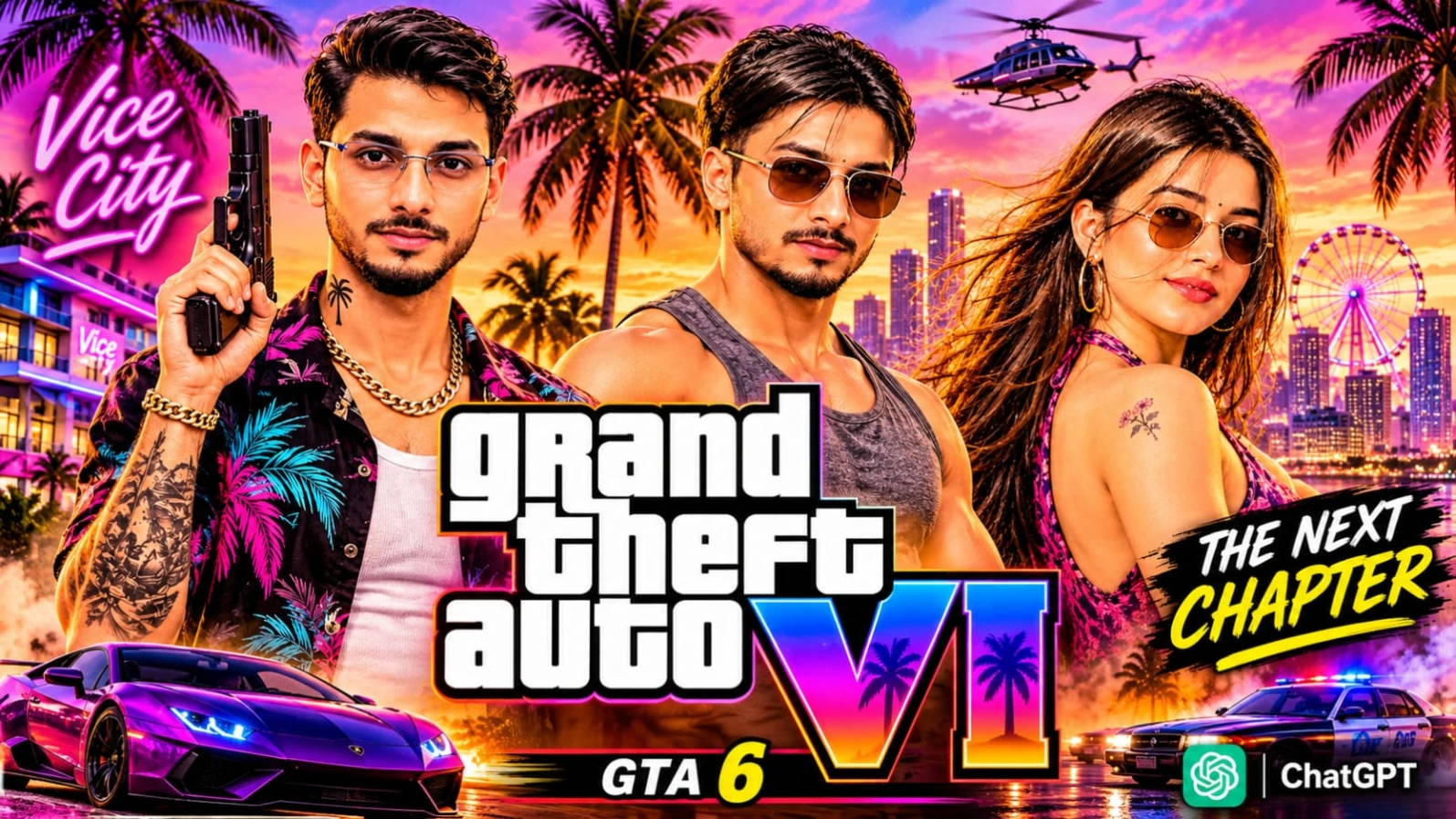
Retro 1980s tropical Vice City aesthetic, glowing neon lights, aur classic sports cars ke sath apni photo ko ek gaming key-art poster mein badalna aaj kal social media par kaafi trending hai.GTA 6 Vice City AI Photo Prompts for ChatGPT | Cinematic Poster un creators ke liye design kiya gaya hai jo ChatGPT ki madad se apni normal photo ko ek stylish, colourful, aur high-detail 8K Vice City poster mein convert karna chahte hain. Is collection mein solo character posters, couple street portraits, convertible car scenes, aur comic-book collages jaise multiple creative concepts diye gaye hain.
Is photo prompt mein open-collar Hawaiian shirt, gold chain, forearm tattoos, dark aviator sunglasses, aur "OCEAN DRIVE HOTEL" neon signs ke sath dramatic purple, pink, aur orange sunset sky specify kiya gaya hai. ChatGPT ki reference-photo identity guidance ki madad se aap apna original face, expressions, aur skin tone preserve karte hue ek premium video-game-style poster generate kar sakte hain. Vertical 4:5 aspect ratio aur bottom par diya gaya subtle NoorEditing07 watermark aapke original brand work ko protect karta hai.
2. Kabhi To Pass Mere Aao Instagram Trend AI Video Prompt | Google Flow AI
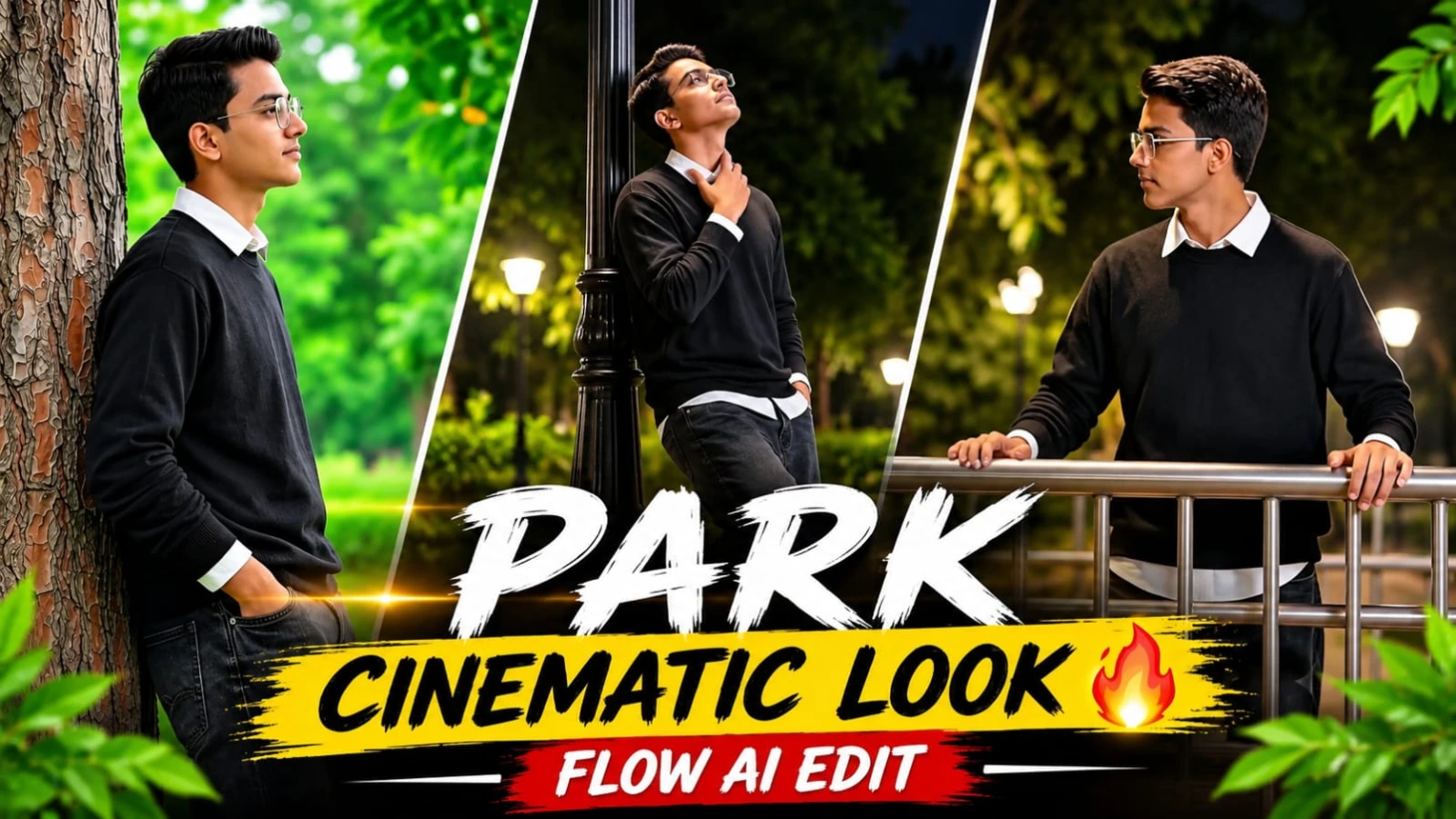
Instagram par cinematic song-based AI videos aur day-to-night transitions ka trend tezi se popular ho raha hai.Kabhi To Pass Mere Aao Instagram Trend AI Video Prompt | Google Flow AI un creators ke liye design kiya gaya hai jo ChatGPT Character Sheet aur Google Flow AI ki madad se ek 13.6-second aur 10-scene romantic video create karna chahte hain. Is creative concept mein lush green park location, banyan tree roots, pine trees, aur illuminated night streetlamps ke beech ek emotional visual journey dikhai gayi hai.
Is video prompt mein character ka outfit black long-sleeve crewneck sweater layered over a crisp white collared shirt, wide-leg washed charcoal-black baggy denim jeans, aur black sneakers specify kiya gaya hai. Starting ke 3 scenes bright soft daylight mein aur Scenes 4 se 10 glowing white streetlamps aur silver metal bridge railings ke sath warm night lighting mein shoot kiye gaye hain. 85mm portrait lens look, creamy bokeh, aur strict facial identity lock ke sath aap ek high-end DSLR cinematic reel taiyar kar sakte hain. Bottom corner par diya gaya subtle NoorEditing07 watermark aapke original brand work ko protect karta hai.
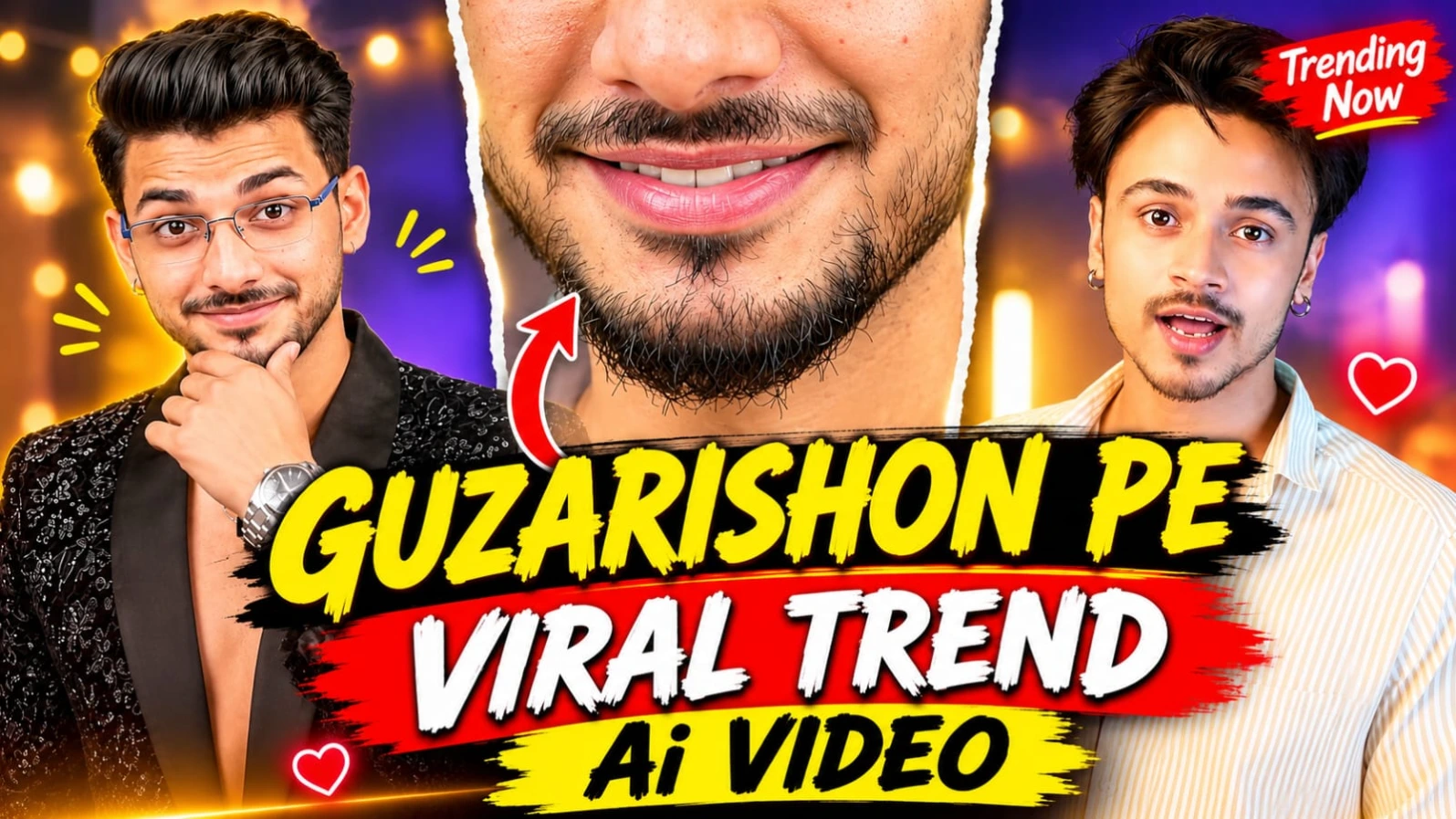
3. Guzarishon Pe Viral Trend Video Prompt | Instagram AI Video
Instagram par cinematic face-replacement aur stylish outfit-transition videos ka trend tezi se viral ho raha hai.Guzarishon Pe Viral Trend Video Prompt | Instagram AI Video un creators ke liye design kiya gaya hai jo ChatGPT Character Sheet aur Google Flow AI ki madad se ek 15-second aur 12-scene cinematic video create karna chahte hain. Is creative concept mein character camera ke saamne open book ke sath expressions deta hai, eyes aur lips ke extreme close-ups aate hain, aur ek smooth book-sweep transition ke baad outfit completely change ho jata hai.
Is video prompt mein do alag-alag looks specify kiye gaye hain:LOOK A (Scenes 1–5) mein light-yellow vertical-striped cotton shirt aur dark teal diary-style book dikhai gayi hai, jabki LOOK B (Scenes 6–12) mein black floral sequin-and-thread embroidered blazer, silver chain, aur wristwatch ke sath royal studio poses shamil hain. Cosy home studio background mein charcoal-grey wall, warm fairy string lights, vertical light bar, aur fireplace ke sath 85mm prime lens DSLR look video ko ek high-end production feel deta hai. ChatGPT ki madad se strict facial identity lock karke aap ek viral Instagram Reel generate kar sakte hain, aur bottom corner par diya gaya subtle NoorEditing07 watermark aapke original brand work ko protect karta hai.
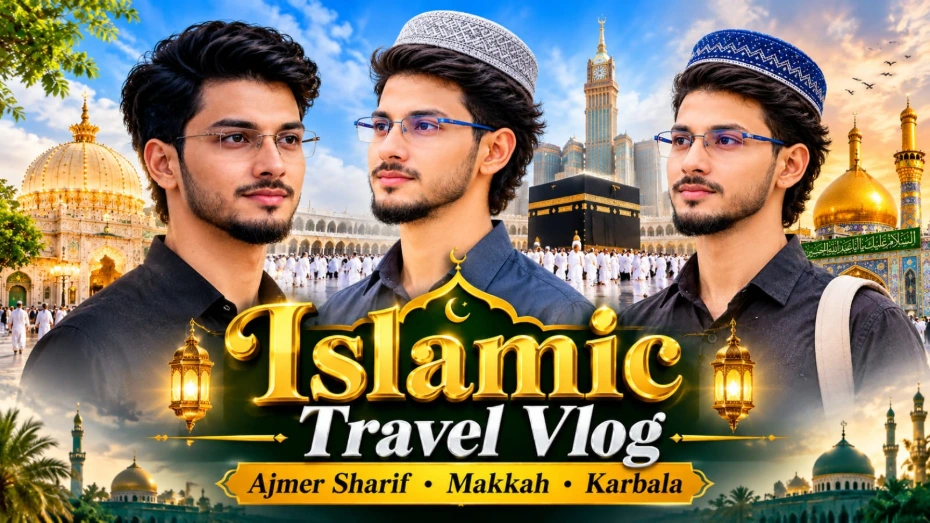
4. Madina Sharif Double Exposure AI Photo Prompt | Cinematic Travel Poster
Madina Sharif ki ruhaniiyat aur Prophet's Mosque ke sukoon bhare mahol ko ek emotional travel poster mein dikhana aaj kal social media creators ke beech kaafi trending hai.Madina Sharif Double Exposure AI Photo Prompt | Cinematic Travel Poster un users ke liye design kiya gaya hai jo ChatGPT ki madad se apni normal portrait photo ko Madina Sharif ke sunset view ke sath double-exposure style mein blend karna chahte hain. Is creative concept mein young man ke side-profile portrait ke andar Prophet's Mosque, green dome, minarets, aur golden sunset ka ek artistic visual effect milta hai.
Is photo prompt mein royal-blue knitted kufi cap, black collared shirt, aur travel backpack strap ke sath emotional travel look specify kiya gaya hai. Warm cream background, watercolor ink splatters, aur neeche "JOURNEY TO MADINA SHARIF – THE JOURNEY THAT PURIFIES YOU" jaisi typography is poster ko ek premium spiritual feel deti hai. Vertical 4:5 aspect ratio aur clear face identity preservation ke sath aap ek meaningful poster generate kar sakte hain, aur bottom par diya gaya subtle NoorEditing07 watermark aapke brand work ko protect karta hai.
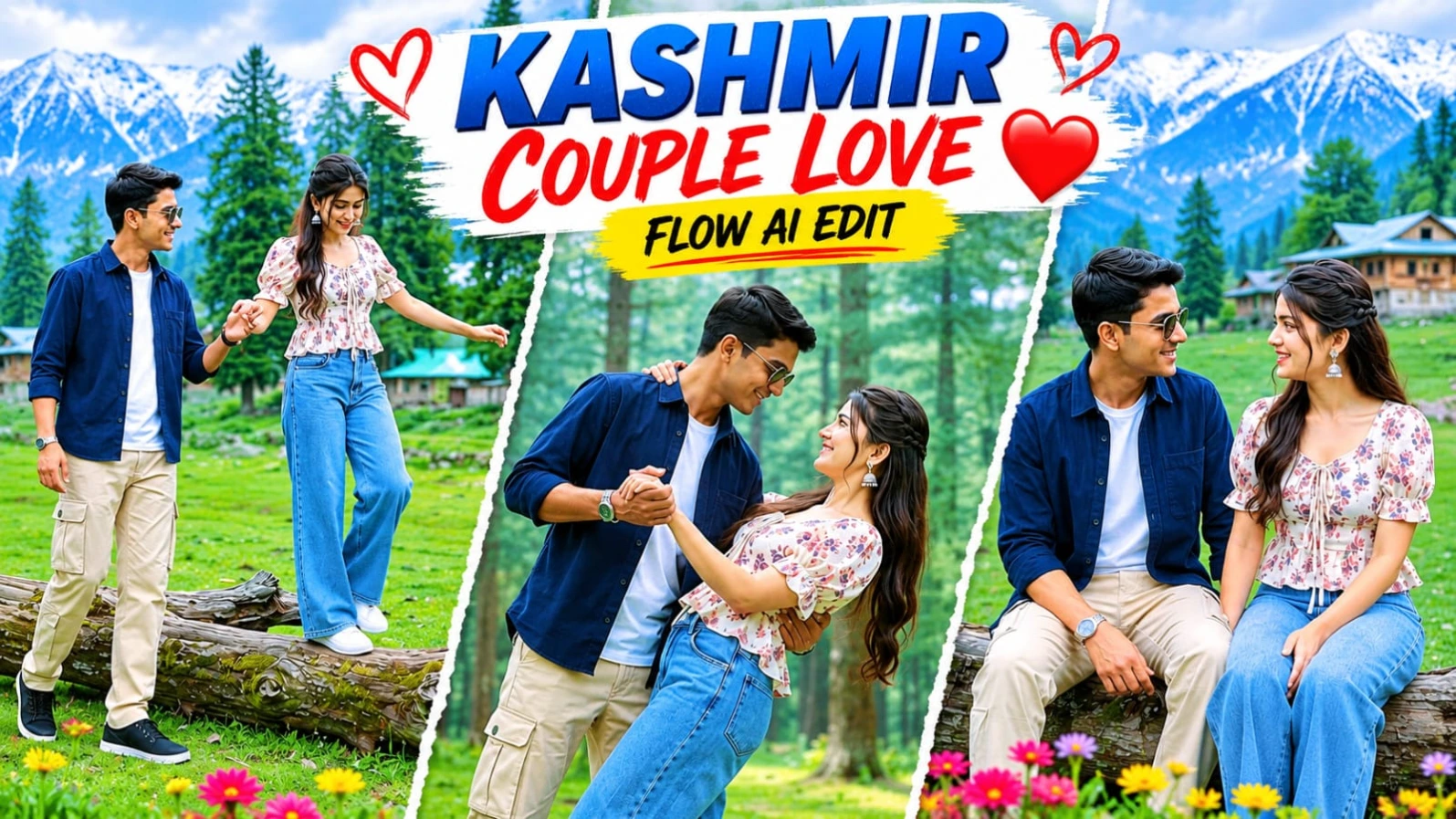
5. Kashmir Couple Romantic AI Video | Google Flow AI Master Prompt | 8K DSLR Look
Kashmir ke haseen green meadows, pine forests, aur wooden hillside cottages ke beech ek romantic couple video banana aaj kal social media par kaafi popular ho raha hai.Kashmir Couple Romantic AI Video | Google Flow AI Master Prompt | 8K DSLR Look un creators ke liye design kiya gaya hai jo ChatGPT character sheet aur Google Flow AI ki madad se ek 8-scene aur 15.7-second couple video create karna chahte hain. Is 16:9 widescreen format video prompt mein bright overcast daylight aur DSLR camera look ke sath couple ke pyaare moments dikhaye gaye hain.
Is video prompt mein male character ke liye navy-blue button-up overshirt, beige cargo trousers, black sneakers, aur dark sunglasses jabki female character ke liye cream-white square-neck floral peplum top, wide-leg light-blue jeans, aur white sneakers specify kiya gaya hai. Fallen tree trunk walk, romantic dance dip, twirling, aur joyful bridal carry spins jaise 8 scenes is reel ko ek complete love story banate hain. Strict facial identity lock aur NoorEditing07 bottom-corner watermark aapke original brand work ko protect karta hai.